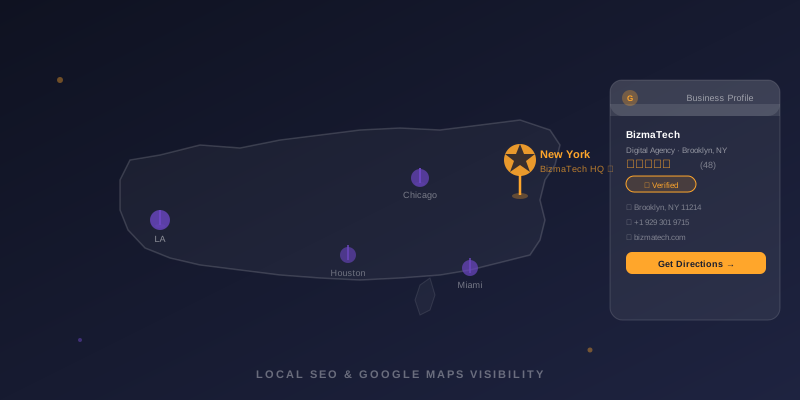
If someone searches "plumber near me" or "web designer in Brooklyn" and your business does not appear in the top results, you are losing customers to competitors who may be no better than you — just better optimized. Google Maps visibility is one of the most direct pipelines from search to sale for US local businesses, and most of the barriers to ranking are completely fixable.
Here are the most common reasons local businesses stay invisible on Google Maps — and exactly how to fix each one.
Reason #1: Your Profile Is Unverified or Incomplete
An unclaimed or unverified Google Business Profile is invisible to the Map Pack algorithm. Google will not promote a listing it cannot confirm belongs to a real, operating business. If you have not gone through the verification process — currently a postcard, phone call, or video verification depending on your business type — that is your first priority.
Once verified, completeness matters enormously. Fill in every available field: business name, address, phone, website, hours (including holiday hours), primary and secondary categories, business description (use your main service keywords naturally), attributes like "women-owned" or "veteran-led" if applicable, and at least 20 high-quality photos. Incomplete profiles rank below complete ones in almost every category.
Reason #2: Your Business Category Is Wrong
Your primary Google Business Profile category is one of the strongest signals Google uses to decide which searches to show you for. If you run a restaurant but your primary category is set to "Food Service" instead of "Restaurant" or the specific cuisine type, you are missing the searches that matter most.
Check your primary category against the most specific option available. Google has thousands of categories — use the most precise one that describes your core business. Then add secondary categories for all additional services you offer. A plumber, for example, might add "HVAC contractor" and "drain cleaning service" as secondary categories if those are services they provide.
Reason #3: NAP Inconsistency Across the Web
NAP stands for Name, Address, and Phone number. Google cross-references your GBP against dozens of third-party directories — Yelp, Bing, Apple Maps, Yellow Pages, Foursquare, your local Chamber of Commerce. If your address is listed differently across these sources (abbreviations, suite numbers, old phone numbers), the conflicting signals reduce Google's confidence in your listing and your ranking drops.
Run a free NAP audit using tools like Moz Local or BrightLocal. Fix every inconsistency so your business name, address, and phone number are letter-for-letter identical across every directory. This alone can move rankings meaningfully within 6–8 weeks.
Reason #4: You Have Too Few Reviews (or Too Old Ones)
Reviews are both a trust signal for customers and a ranking signal for Google. Businesses with more recent reviews consistently outrank those with fewer or older ones, even when all other factors are equal. Google interprets a stream of recent reviews as evidence that a business is actively serving customers — which is exactly what they want to show searchers.
Build a simple review request system: after every completed job or transaction, send a text with a direct link to your Google review page. No friction, no lengthy emails — just a one-tap link. Consistent weekly reviews will compound into a significant ranking advantage over time.
Reason #5: Your Website Does Not Support Your Local Signals
Your GBP listing and your website work together as a system. Google checks your website to validate the signals in your profile. A website that does not mention your city, does not have your correct NAP information in the footer, or that loads slowly on mobile is actively undermining your map ranking — even if your GBP looks perfect.
At minimum, your website should: include your full address and phone number in the footer of every page, have a dedicated "Service Area" or "About" page that mentions the specific cities and neighborhoods you serve, and pass Google's Core Web Vitals (check free at PageSpeed Insights). Adding LocalBusiness schema markup to your site's code gives Google structured data confirming your location — this is something BizmaTech includes in every website build.
Frequently Asked Questions
Why is my business not showing up on Google Maps?
The most common reasons are: unverified or incomplete Google Business Profile, inconsistent NAP data across directories, few or no recent reviews, wrong primary category, or the business is outside the searcher's radius. Each is fixable with specific steps.
How do I get my business to appear in the Google Map Pack?
Fully complete and verify your GBP, include service keywords in your description naturally, build consistent citations across major directories, earn recent reviews, and ensure your website clearly mentions your city and services with LocalBusiness schema markup.
How long does it take to show up on Google Maps after verifying?
Basic map visibility appears within 1–2 weeks of verification. Ranking in the top 3 Map Pack results for competitive searches usually takes 1–4 months of consistent optimization work.
Does my website affect my Google Maps ranking?
Yes. Google evaluates your website as part of your local prominence score. A fast, mobile-friendly site that clearly mentions your services and location reinforces your GBP signals and improves Map Pack rankings.
What is a Google Business Profile suspension and how do I fix it?
A GBP suspension means Google has hidden your listing due to a policy violation — often keyword stuffing in the business name or a virtual office address. Fix the violation, then submit a reinstatement request through GBP support with documentation proving your business legitimacy.